
Website settings | CoreCMS guides
Settings control shared website behaviour. Most content changes belong in pages or plugins, rather than global settings.
How to use it
- Open Settings from the administration sidebar.
- Choose General settings, Theme settings, Plugin settings or Site Search as appropriate.
- Read the field descriptions and change only the relevant values.
- Save the settings and check an affected public page.
Before you finish
Keep a note of the previous value before changing a setting that affects the whole site. Theme and plugin options vary by installation.
Related guides
- CMS accounts and permissions
- Adding a CMS user
- Managing an existing CMS user
- The administration sidebar
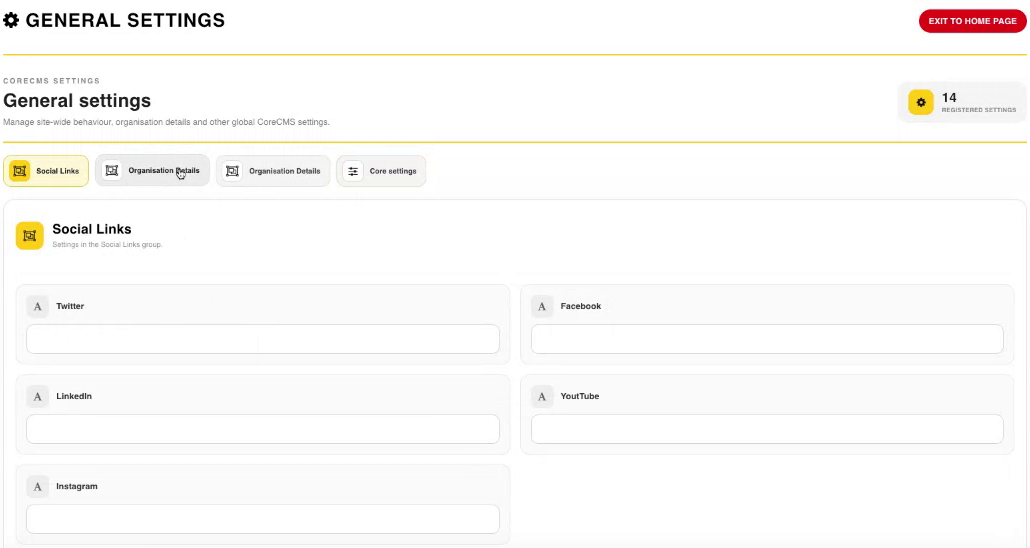
General settings and the available settings tabs. Select the image to view it at full size.
- Accessing CoreCMS
- Understanding the CoreCMS interface
- The administration sidebar
- Using the page builder
- Containers, rows and columns
- Adding and editing components
- Page-specific settings
- Saving and publishing changes
- Before you publish
- Desktop, tablet and mobile layouts
- Managing columns and alignment
- Saved Blocks and reusable layouts
- Buttons and linked content
- Page revisions and restoring content
- Duplicating a page
- Media Manager
- Plugins and modules
- Getting help with CoreCMS
- CoreCMS: start here
- CoreCMS Form Builder
- Website Analytics
- Managing website search
- DigiSEO: checking a page
- DigiAccess accessibility toolbar