
Reading analytics reports | CoreCMS guides
Use several reports together to understand how visitors reach and use your website. A single total rarely explains the whole picture.
How to use it
- Review page views, visitors and sessions for the selected period.
- Open Content to see popular pages and clicked destinations.
- Review traffic sources to see referring websites and direct visits.
- Review devices, browsers and operating systems before investigating display issues.
- Use search reports to find popular queries and searches with no results.
- Review interactions to see recorded link and download clicks.
Before you finish
A download click does not prove a document was fully read. Email and telephone clicks do not prove an enquiry was completed. Compare similar periods and account for campaigns or seasonal changes.
Related guides
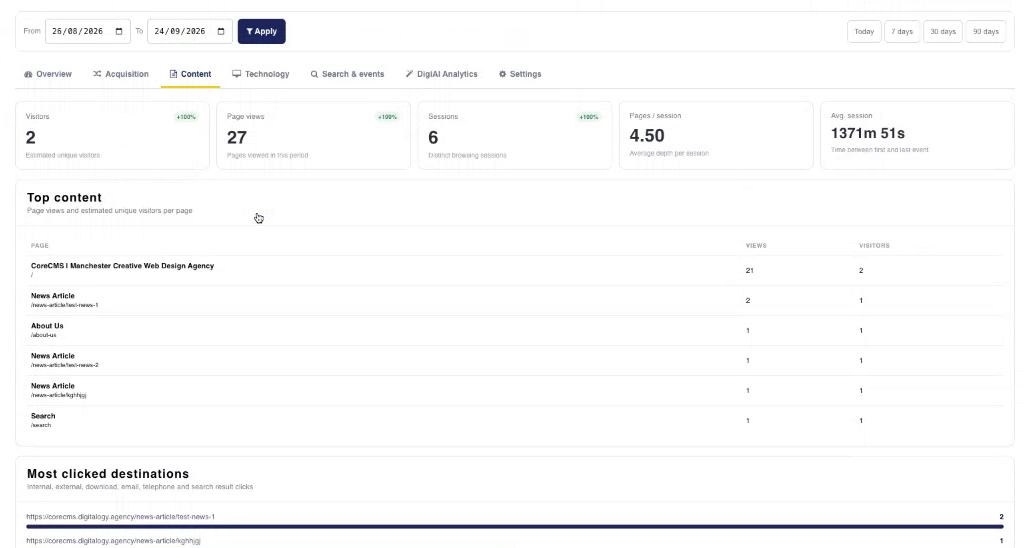
Content reporting in CoreCMS Analytics. Select the image to view it at full size.
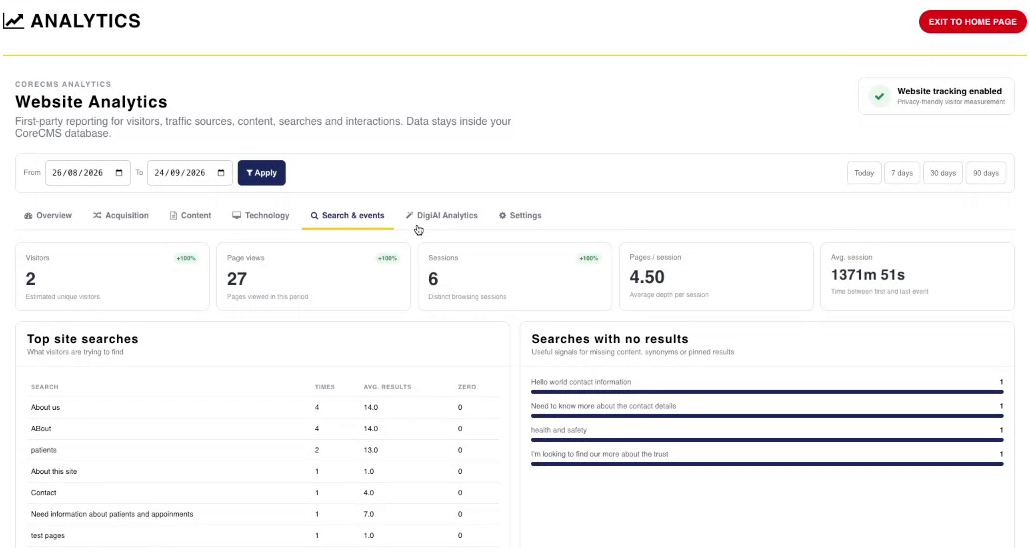
Search and event reporting. Select the image to view it at full size.
- Accessing CoreCMS
- Understanding the CoreCMS interface
- The administration sidebar
- Using the page builder
- Containers, rows and columns
- Adding and editing components
- Page-specific settings
- Saving and publishing changes
- Before you publish
- Desktop, tablet and mobile layouts
- Managing columns and alignment
- Saved Blocks and reusable layouts
- Buttons and linked content
- Page revisions and restoring content
- Duplicating a page
- Media Manager
- Plugins and modules
- Getting help with CoreCMS
- CoreCMS: start here
- CoreCMS Form Builder
- Website Analytics
- Managing website search
- DigiSEO: checking a page
- DigiAccess accessibility toolbar