
Removing a plugin record | CoreCMS guides
Deleting a record may remove its public detail page and its entry from listings.
How to use it
- Locate and open the correct record.
- Check whether the module offers an unpublished or inactive status that meets your need.
- If deletion is required, use Delete and confirm.
- Review pages, menus and components that linked to the record.
- Add a redirect where an old public address needs a replacement.
Before you finish
Deletion may be permanent. Keep a copy of any information you need to retain, and do not assume deleting a record also deletes its uploaded files.
Related guides
- Plugins and modules
- Opening a plugin or module
- Finding and editing plugin records
- Creating plugin content
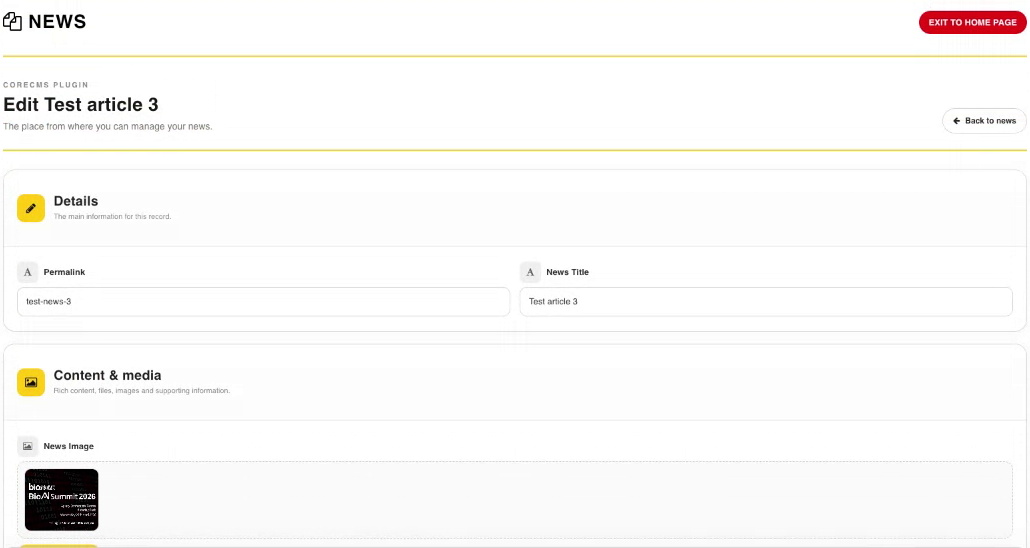
Editing an existing News record. Select the image to view it at full size.
- Accessing CoreCMS
- Understanding the CoreCMS interface
- The administration sidebar
- Using the page builder
- Containers, rows and columns
- Adding and editing components
- Page-specific settings
- Saving and publishing changes
- Before you publish
- Desktop, tablet and mobile layouts
- Managing columns and alignment
- Saved Blocks and reusable layouts
- Buttons and linked content
- Page revisions and restoring content
- Duplicating a page
- Media Manager
- Plugins and modules
- Getting help with CoreCMS
- CoreCMS: start here
- CoreCMS Form Builder
- Website Analytics
- Managing website search
- DigiSEO: checking a page
- DigiAccess accessibility toolbar