
Opening a plugin or module | CoreCMS guides
Module links appear according to your account’s permissions and the features installed on the website.
How to use it
- Open the administration sidebar.
- Find the module by name.
- Choose View all records, Add new record or its bespoke management action.
- Check the selected site before changing records on a multisite installation.
Before you finish
If a module is missing, ask an administrator to review your access. Do not assume the module needs reinstalling.
Related guides
- Plugins and modules
- Finding and editing plugin records
- Removing a plugin record
- Creating plugin content
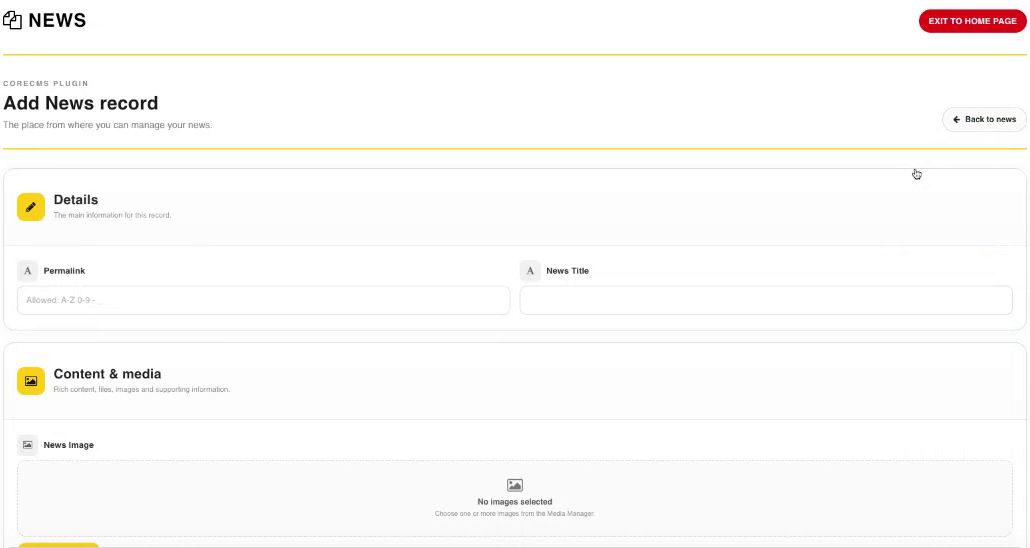
Adding a News record, an example of a CoreCMS plugin form. Select the image to view it at full size.
- Accessing CoreCMS
- Understanding the CoreCMS interface
- The administration sidebar
- Using the page builder
- Containers, rows and columns
- Adding and editing components
- Page-specific settings
- Saving and publishing changes
- Before you publish
- Desktop, tablet and mobile layouts
- Managing columns and alignment
- Saved Blocks and reusable layouts
- Buttons and linked content
- Page revisions and restoring content
- Duplicating a page
- Media Manager
- Plugins and modules
- Getting help with CoreCMS
- CoreCMS: start here
- CoreCMS Form Builder
- Website Analytics
- Managing website search
- DigiSEO: checking a page
- DigiAccess accessibility toolbar