
Form fields and validation | CoreCMS guides
Choose fields that make it easy for visitors to provide the information you actually need. The visual builder offers component settings for labels, values and validation.
How to use it
- Add a suitable component, such as text, email, a select list or a checkbox.
- Use a clear label and helpful description.
- Mark the field required only when the form cannot be processed without it.
- Configure suitable validation and options.
- Keep field keys stable once email templates or integrations depend on them.
- Test empty, valid and invalid entries.
Before you finish
Placeholders do not replace visible labels. Explain unusual input formats before a visitor makes a mistake, and avoid collecting unnecessary information.
Related guides
- CoreCMS Form Builder
- Conditional fields in forms
- Form notifications and custom emails
- Submission storage and retention
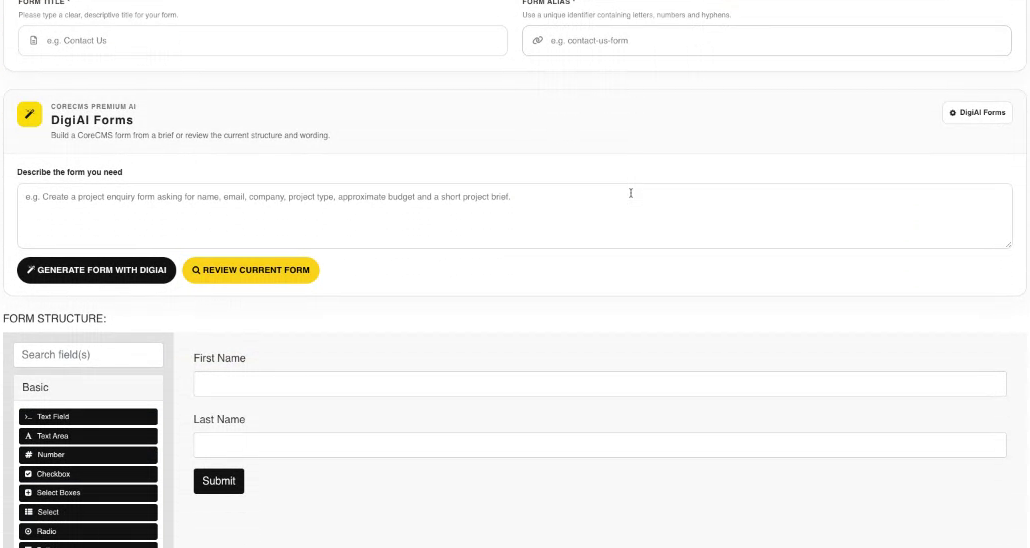
Form structure and the visual component palette. Select the image to view it at full size.
- Accessing CoreCMS
- Understanding the CoreCMS interface
- The administration sidebar
- Using the page builder
- Containers, rows and columns
- Adding and editing components
- Page-specific settings
- Saving and publishing changes
- Before you publish
- Desktop, tablet and mobile layouts
- Managing columns and alignment
- Saved Blocks and reusable layouts
- Buttons and linked content
- Page revisions and restoring content
- Duplicating a page
- Media Manager
- Plugins and modules
- Getting help with CoreCMS
- CoreCMS: start here
- CoreCMS Form Builder
- Website Analytics
- Managing website search
- DigiSEO: checking a page
- DigiAccess accessibility toolbar