
CMS accounts and permissions | CoreCMS guides
CMS accounts are for people maintaining the website. They are separate from any public member accounts provided by your site.
How to use it
- Open CMS Accounts in the administration menu.
- Review the account’s role, active status and available plugin permissions.
- Give each editor the minimum access needed for their work.
- Review access regularly and after staff changes.
Before you finish
Super administrators have the broadest access. Administrator and editor capabilities depend on the role rules and permissions configured for your installation. Ask Digitalogy before changing access that affects other administrators.
Related guides
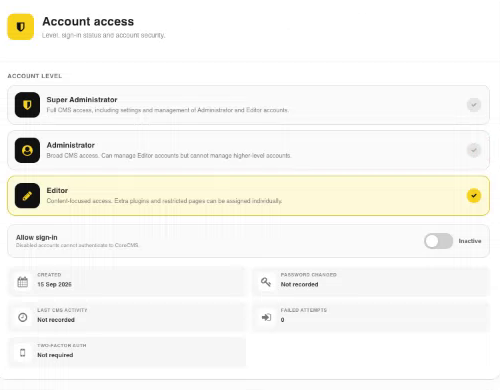
Account access controls for a CMS user. Select the image to view it at full size.
- Accessing CoreCMS
- Understanding the CoreCMS interface
- The administration sidebar
- Using the page builder
- Containers, rows and columns
- Adding and editing components
- Page-specific settings
- Saving and publishing changes
- Before you publish
- Desktop, tablet and mobile layouts
- Managing columns and alignment
- Saved Blocks and reusable layouts
- Buttons and linked content
- Page revisions and restoring content
- Duplicating a page
- Media Manager
- Plugins and modules
- Getting help with CoreCMS
- CoreCMS: start here
- CoreCMS Form Builder
- Website Analytics
- Managing website search
- DigiSEO: checking a page
- DigiAccess accessibility toolbar