
General settings | CoreCMS guides
General settings include shared website information and behaviour, such as the website title and search-engine indexing preference.
How to use it
- Open Settings → General settings at
/cc_admin/settings/general. - Review the current website title, contact values and available switches.
- Make the required change and select Save settings.
- Check the relevant page or form on the public website.
Before you finish
A development site and a live site may need different indexing settings. Enabling indexing does not guarantee that a search engine will list your pages. Changing a recipient setting is not a substitute for testing form delivery.
Related guides
- CMS accounts and permissions
- Adding a CMS user
- Managing an existing CMS user
- The administration sidebar
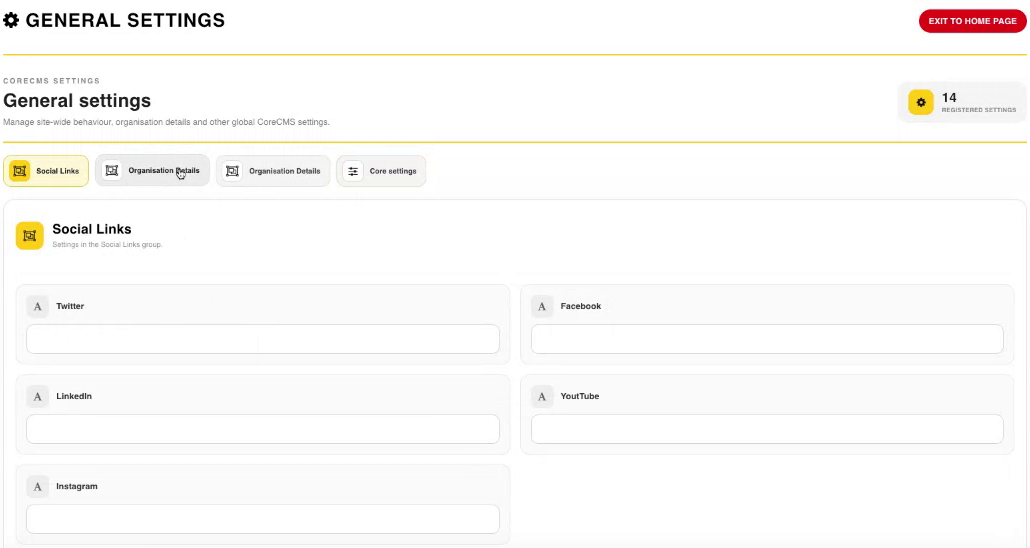
General settings and the available settings tabs. Select the image to view it at full size.
- Accessing CoreCMS
- Understanding the CoreCMS interface
- The administration sidebar
- Using the page builder
- Containers, rows and columns
- Adding and editing components
- Page-specific settings
- Saving and publishing changes
- Before you publish
- Desktop, tablet and mobile layouts
- Managing columns and alignment
- Saved Blocks and reusable layouts
- Buttons and linked content
- Page revisions and restoring content
- Duplicating a page
- Media Manager
- Plugins and modules
- Getting help with CoreCMS
- CoreCMS: start here
- CoreCMS Form Builder
- Website Analytics
- Managing website search
- DigiSEO: checking a page
- DigiAccess accessibility toolbar